Run Fewer Tests, Deploy with Confidence: Salesforce runRelevantTests Explained
You change one line in one Apex class. You hit deploy. Then you wait, while Salesforce runs thousands of tests that have nothing to do with your change.
If that sounds familiar, you'll like Salesforce RunRelevantTests, a newer Apex test level built to run only the tests that matter for your deployment. It's still in beta, so it comes with caveats. Here's how it works, where it helps, and how to try it without risking production.
Why Apex deployments feel so slow
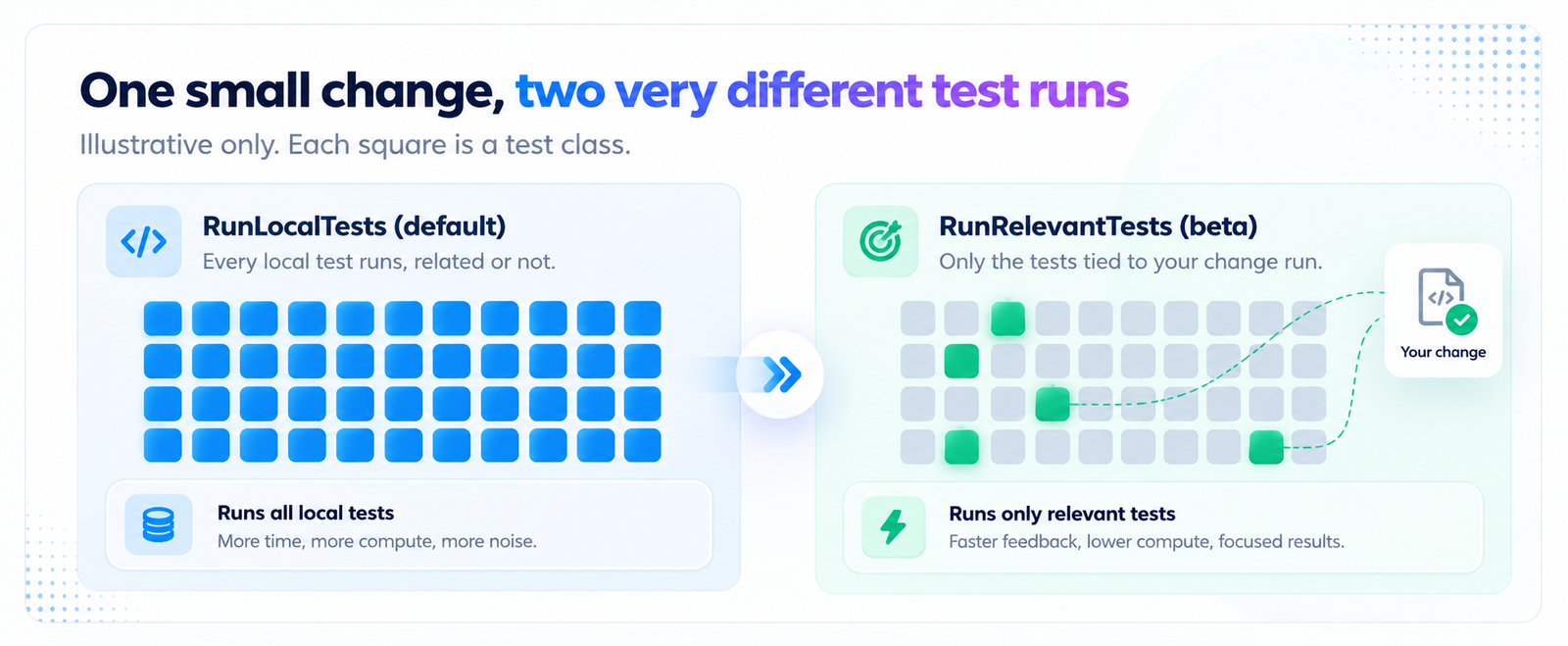
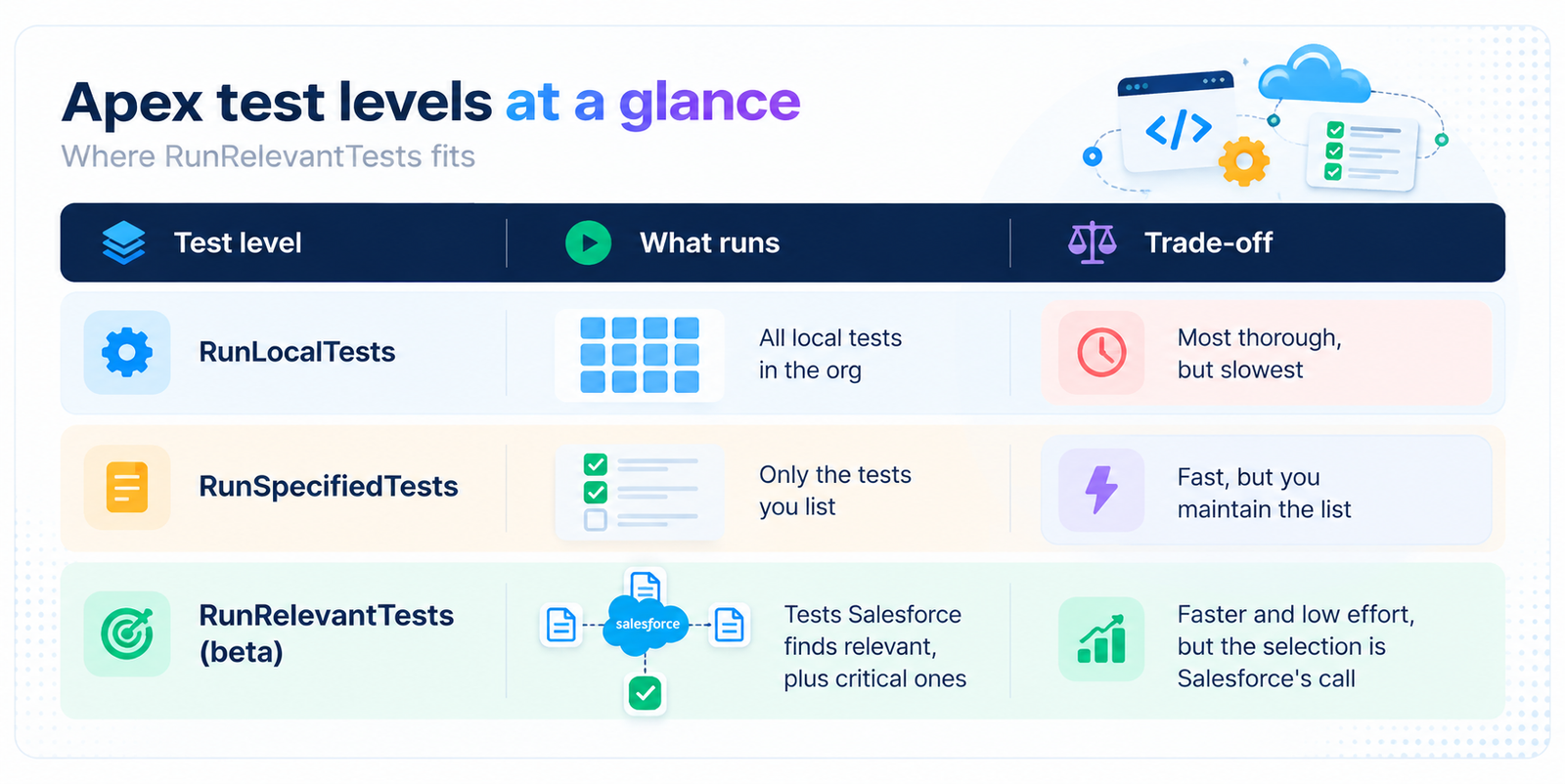
When you deploy Apex to production, Salesforce uses the RunLocalTests level by default. That means every test in your org runs, except tests that come from installed managed and unlocked packages.
It's safe, but it's all or nothing. In an org with a big test suite, a tiny change can sit in the queue for a long time. Salesforce did offer RunSpecifiedTests, where you pick the tests yourself, but keeping that list right on every deployment is a lot of upkeep for most teams.
So what is RunRelevantTests?
It's a test level that looks at what you're deploying and automatically picks a subset of tests to run. It arrived in Spring '26 as a beta, and Salesforce says it can significantly shorten deployment time compared with RunLocalTests. It also asks for less manual work than RunSpecifiedTests, because you don't maintain the list yourself.
How does Salesforce decide what's "relevant"?
There are three ways a test gets picked up, and the second one is the clever part.
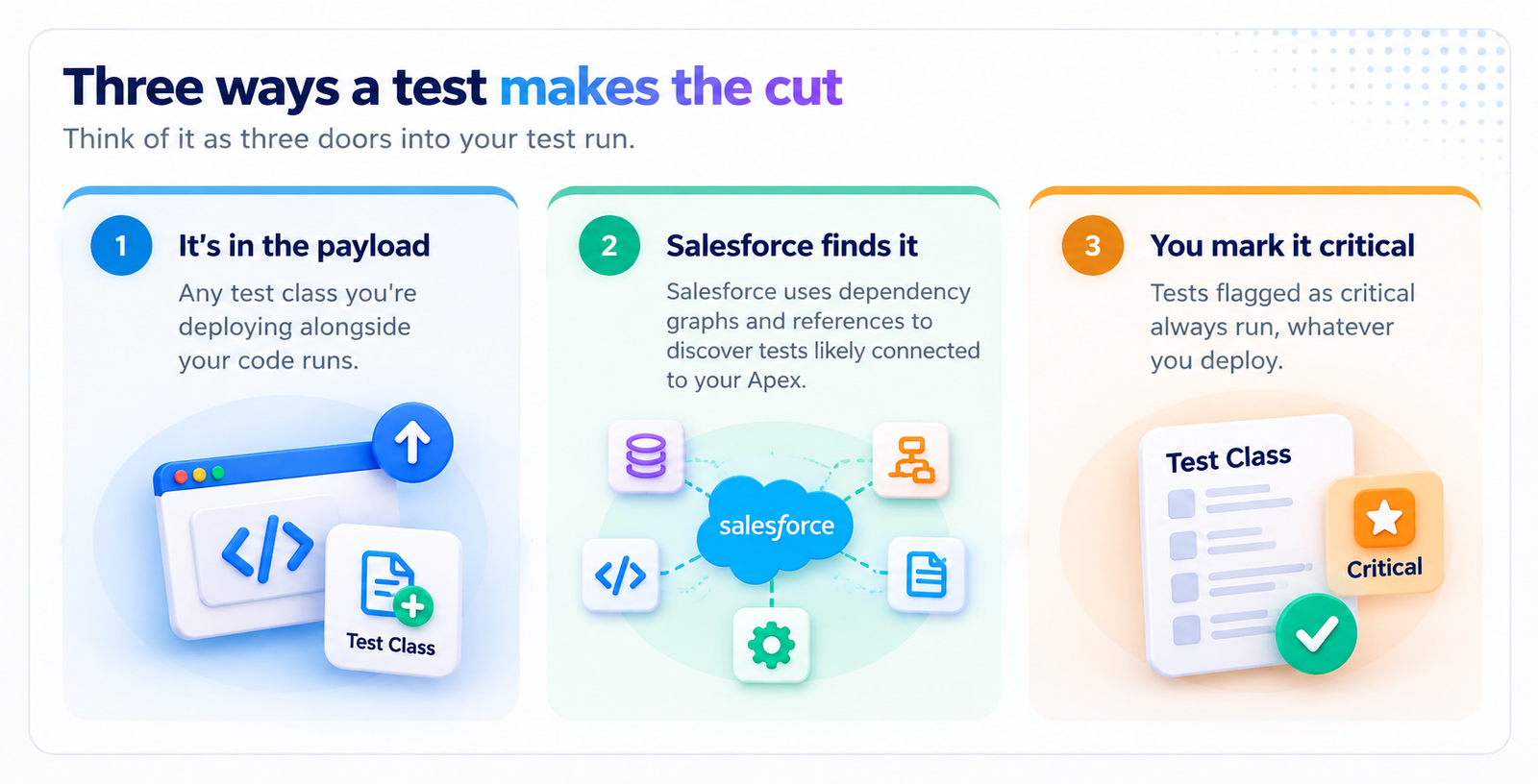
For that third door, you add @IsTest(critical=true) to a test class. It guarantees the class runs on every deployment that uses RunRelevantTests. The annotation is available at class level in API version 66.0 and later, so it's worth saving for your most important business-logic tests.
How to use it
With the Salesforce CLI, it's a single flag:
sf project deploy start --test-level RunRelevantTests
You can also set RunRelevantTests as the test level in the Metadata API's deploy options. One thing hasn't changed: you still need at least 75% code coverage for every class and trigger in the deployment package. Faster doesn't mean looser.
The catches worth knowing
It's a beta. It falls under Salesforce's Beta Services Terms, so test it thoroughly in a sandbox before it goes anywhere near a production pipeline.
Salesforce does the picking. The discovery step is hands-off and decided by Salesforce, which keeps refining it. That's convenient, but it also means you can't fully see or control why a test was chosen.
Our take: any automatic guess about "relevant" can miss indirect connections, such as logic that reaches your code through flows or dynamic calls. That's not a flaw in the idea. It's a reason to keep a safety net.
A calm way to roll it out
Five steps to try RunRelevantTests safely
Start in a sandbox and work your way up
Start in a sandbox
Run your usual deployment with the new test level and compare results.
Compare against a full run
Check that the tests it skipped wouldn't have caught anything.
Mark your must-run tests
Add critical=true to the tests protecting your most important logic.
Keep a full run on a schedule
A nightly or weekly full test run catches anything the subset missed.
Log what changed
Keep a short record of each deployment for audits and troubleshooting.
Where nCoder fits in
RunRelevantTests answers "which tests should run?" The harder question comes first: what does this change actually touch?
That's what nCoder's impact analysis is for. It maps the dependencies across your org's Apex, flows and components, so you can see what a change affects before you deploy. That makes it a handy second opinion alongside Salesforce's automatic selection, and a good guide for deciding which tests deserve the critical flag.
Quick answers
Is RunRelevantTests ready for production?
It's still a beta, so treat it that way: prove it in a sandbox first, and keep a full test run somewhere in your process.
Does it lower my coverage requirements?
No. You still need at least 75% coverage for every class and trigger you deploy.
Can I force a test to always run?
Yes. Mark the test class with @IsTest(critical=true) (API version 66.0 or later).
Connect one org to nCoder and see the dependencies behind every change before you deploy. Includes a dedicated Forward Deployment Engineer and a 30-day trial on your own org.
Book a demo